Navigating Relations
Each object may have named relationships to other objects. For example, Users have a "member" relationship with Group objects.
If you're viewing the "Rick Sanchez" User, you can view and navigate these relationships.
Viewing incoming relations
Incoming relations are relationships where the current object is the relation's subject. For example, If you're looking at a User, there will be a "member" relation indicating that the user is the subject of one or more "group:member" relations.
For example, if you're viewing Rick Sanchez, clicking on the "member" link will show every group which contains Rick as a member. In the Citadel identity provider, Rick is a member of four groups: "admin-group", "squanch-group", "grandpa-group", and "evil-genius-group".
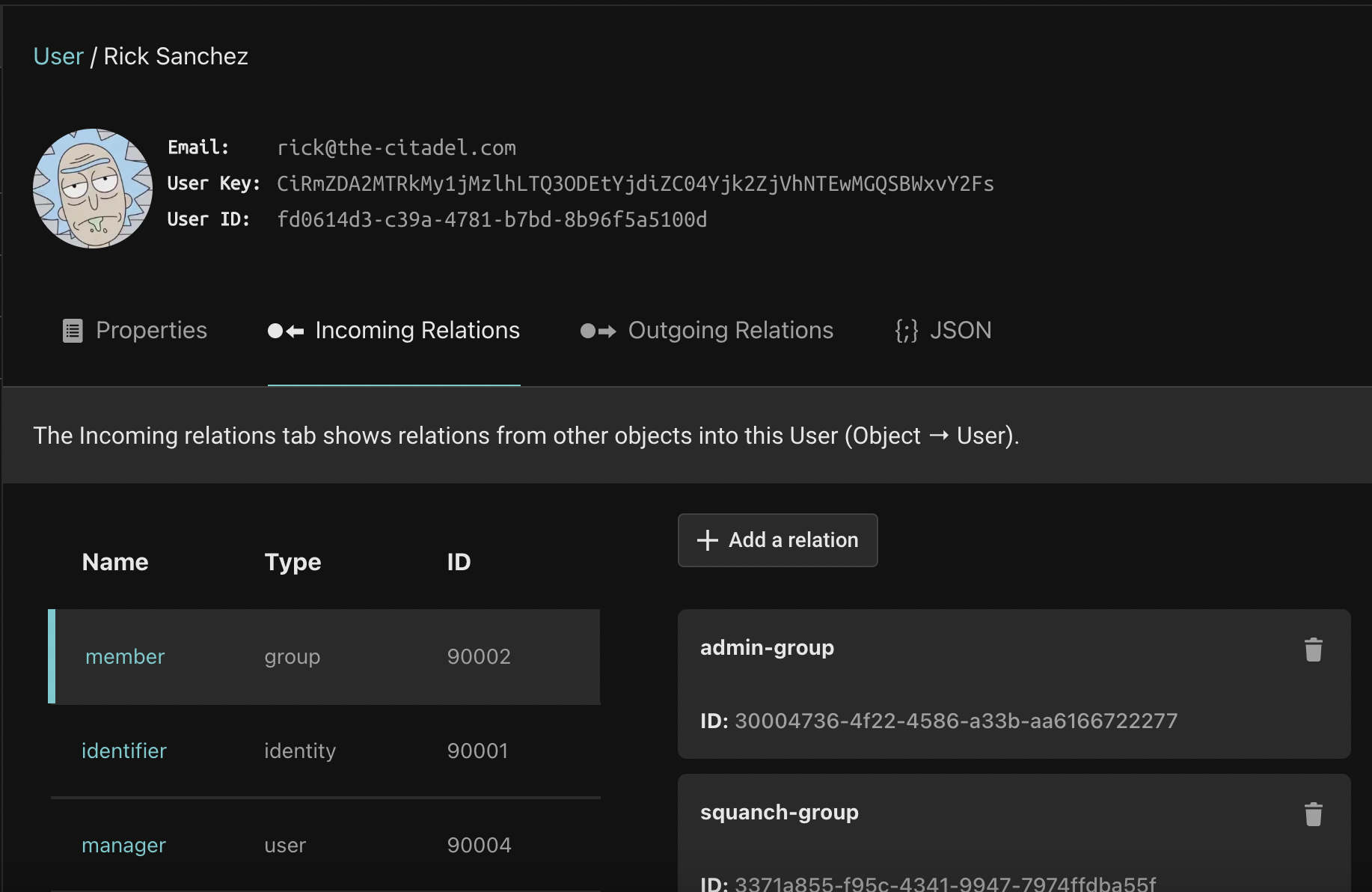
Navigating relations
Click the "admin-group" to navigate to that object.
Relationships are bi-directional
Every relationship can be navigated both ways. To view the Users that are the subjects of the "member" relation for the "admin-group", click the "Outgoing Relations" tab for the "admin-group" object, and click Rick Sanchez (who is the only admin in this dataset).
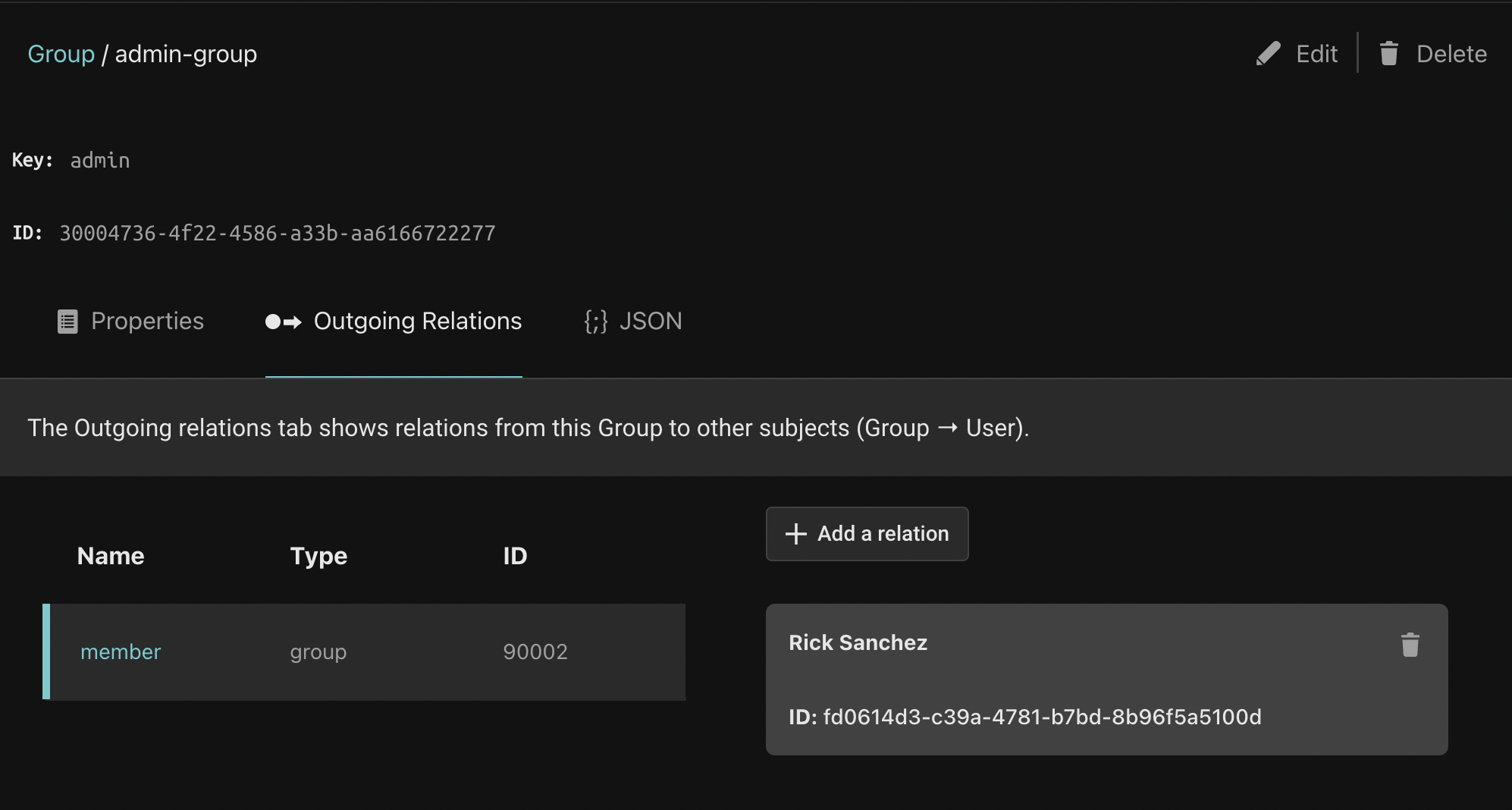
Next, we will learn how to add object instances.